Choosing a niche job board template in 2026 comes down to one early decision between three routes: a managed job board platform that runs itself, a hosted general-purpose builder like Webflow or Softr that you assemble with integrations, or a self-hosted WordPress theme you manage yourself. Whichever route you take, the goal is the same — listings that are eligible for Google for Jobs through built-in JobPosting structured data, a way to take payments (Stripe, PayPal), and mobile-friendly designs — but how you get there differs. Managed platforms like Job Boardly tend to build those in, WordPress themes such as WorkScout and Jobmonster usually add them through plugins like WP Job Manager and WooCommerce, and builder templates on Webflow or Softr lean on integrations and custom structured-data work. Cost and effort split along the same line: WordPress themes are mostly a one-time fee of roughly $49–$89, most managed platforms charge an ongoing subscription that bundles hosting, updates, and support — though some, like SmartJobBoard, are quote-based — and the builders pair a template price or free plan with a monthly platform plan.
Here are fourteen strong options for 2026, spanning no-code platforms, WordPress job board themes, and website templates for Webflow and Softr:
- Job Boardly: No-code, with professionally designed templates and a visual theme builder, Google for Jobs support, paywalls, $50/month.
- SmartJobBoard: Flexible platform, built-in monetization, with quote-based pricing (revenue-share or a flat-fee annual subscription).
- Niceboard: Sleek design, Google for Jobs support, from $399/month.
- WorkScout: WordPress-based, customizable, $79 one-time fee.
- Jobify: WordPress theme, drag-and-drop builder, $69 one-time fee.
- Jobmonster: WordPress-based, WooCommerce support, $49 one-time fee.
- Careerfy: Pre-built demos, Google for Jobs-ready, $89 one-time fee.
- JobEngine: User-friendly WordPress theme, $89 one-time fee.
- Superio: Best-selling WordPress job board theme, 22+ demos, Elementor, $59 one-time fee.
- Cariera: WordPress theme with candidate and employer dashboards, $79 one-time fee.
- Civi: Job board and freelance marketplace WordPress theme, $59 one-time fee.
- Nokri: Feature-heavy job portal WordPress theme, $69 one-time fee.
- Job Board X: Webflow job board website template by BRIX Templates, $79 plus a Webflow site plan.
- Softr: Free job-listing website template on Softr's own database (Airtable optional); paid plans from $49/month.
Quick Comparison Table
| Template | Google for Jobs | Customization | Monetization | Pricing | Platform |
|---|---|---|---|---|---|
| Job Boardly | Built-in | High | Built-in | $50/month | No-code |
| SmartJobBoard | Built-in | Medium | Built-in | Quote-based | No-code |
| Niceboard | Built-in | Medium | Built-in | $399/month | No-code |
| WorkScout | Plugin required | High | Plugin-based | $79 one-time | WordPress |
| Jobify | Plugin required | High | Plugin-based | $69 one-time | WordPress |
| Jobmonster | Plugin required | Medium | Plugin-based | $49 one-time | WordPress |
| Careerfy | Built-in | High | Built-in | $89 one-time | WordPress |
| JobEngine | Built-in | Medium | Built-in | $89 one-time | WordPress |
| Superio | Manual setup | High | Plugin-based | $59 one-time | WordPress |
| Cariera | Via WP Job Manager | High | Bundled Cariera Packages | $79 one-time | WordPress |
| Civi | Manual setup | High | Plugin-based | $59 one-time | WordPress |
| Nokri | Manual setup | Medium | Built-in | $69 one-time | WordPress |
| Job Board X | Manual setup | High | Via integrations | $79 + site plan | Webflow |
| Softr | Not built-in; custom setup | Medium | Via integrations | Free–$49+/month | No-code (Softr Database or Airtable) |
One-time WordPress prices above are ThemeForest regular licenses. If your board will charge users — paid postings or paid access — ThemeForest's extended license applies instead: $2,600 for Superio, $2,900 for Cariera, $2,600 for Civi, $2,000 for Nokri, and roughly $2,599 for Jobify.
Choose a template based on your budget, technical skills, and the features you need. No-code platforms are ideal for speed and simplicity, while WordPress themes offer deeper customization.
How to Choose a Job Board Template
Before comparing individual templates, weigh these five factors — they matter more than any single design choice:
- Hosted vs. self-hosted. No-code SaaS platforms (Job Boardly, SmartJobBoard, Niceboard) include hosting, security, and updates. WordPress themes are often a one-time purchase, but you handle hosting, plugins, and ongoing maintenance yourself — the same trade-off that comes with open-source job board software.
- Google for Jobs support. Built-in JobPosting structured data makes your listings eligible for Google for Jobs with no extra setup. With most WordPress themes you'll add a plugin like WP Job Manager to achieve the same thing.
- Monetization. Decide how you'll earn — paid postings, featured listings, employer subscriptions, or a paywall — and confirm it's built in rather than another plugin to configure and maintain.
- Customization. Look for ready-made templates and a visual editor so you can match your brand without code. Job Boardly, for example, ships preset templates and a theme builder.
- Total cost of ownership. A cheap one-time theme can cost more once you add hosting, premium plugins, and developer time. A monthly subscription bundles those into one predictable figure.
Job Board Theme vs. Template: What's the Difference?
The two phrases get used interchangeably, but they point at slightly different things. A job board theme almost always means a design package for a CMS you host yourself — in practice, WordPress. You install the theme on your own hosting, and it supplies the layouts, listing pages, and dashboards, sometimes with help from plugins like WP Job Manager. Superio, Cariera, Civi, Nokri, WorkScout, Jobify, and Jobmonster below are all themes in this sense.
A job board template (or job portal template) is the broader term: pre-designed layouts for site builders like Webflow, ready-made database-backed sites on tools like Softr (Softr Database by default, Airtable optional), or the preset designs inside managed job board platforms. On a managed job board platform like Job Boardly, the template is a starting point within the product — hosting, Google for Jobs structured data, and payments are already wired up, so there's nothing to install or maintain. Webflow and Softr are hosted too, but they're general-purpose builders: payments and JobPosting structured data still take integrations and custom work.
A useful rule of thumb: pick a theme when you want to own the whole stack and don't mind maintaining WordPress; pick a template on a managed job board platform when speed to launch and built-in Google for Jobs support matter more than server-level control. Both kinds are compared side by side in this list.
What Makes a Job Board Design Work
Whichever template you choose, the same design fundamentals decide whether it converts. A few principles show up on every strong job board, regardless of the platform behind it.
Homepage layout. Put a prominent search bar front and center, keep the main navigation to a handful of sections, and state what your board does in one specific sentence - "Find Remote DevOps Jobs" beats "Connecting Talent With Opportunity." Company logos, a live listing count, or a testimonial or two build credibility fast for first-time visitors.
Scannable listing cards. Job seekers skim, they don't read. Lead with job title, then company, salary range, and location, arranged so the eye can take it in without scrolling. Salary transparency isn't just a courtesy - boards that require it tend to see higher application rates than boards that leave it optional.
Filters that help instead of overwhelm. Start with the basics - location, job type, salary range, experience level - and group related filters together rather than listing them all flat. Predictive search (suggesting "Marketing Manager" as someone types "market") speeds up the search without adding another dropdown to manage.
Employer branding pages. Candidates research a company before applying, so branding pages should carry real photos, specific benefits ("unlimited PTO," not "great culture"), and a direct link back to open roles. Generic stock imagery undercuts trust faster than having no branding page at all.
Mobile-first, not just mobile-friendly. Most applications now happen on a phone. Keep form fields at 16px or larger so iOS doesn't zoom in on focus, make tap targets large enough to hit reliably, and offer one-click apply options (LinkedIn, Google) alongside the standard form.
Avoid the common failure modes. Confusing navigation, too many filters, bloated application forms, and listings with no visual hierarchy are the fastest ways to lose a candidate mid-session. None of these require a redesign to fix - they're usually a matter of trimming, not rebuilding.
Job Portal and Job Board Website Templates: Video Overview
1. Job Boardly
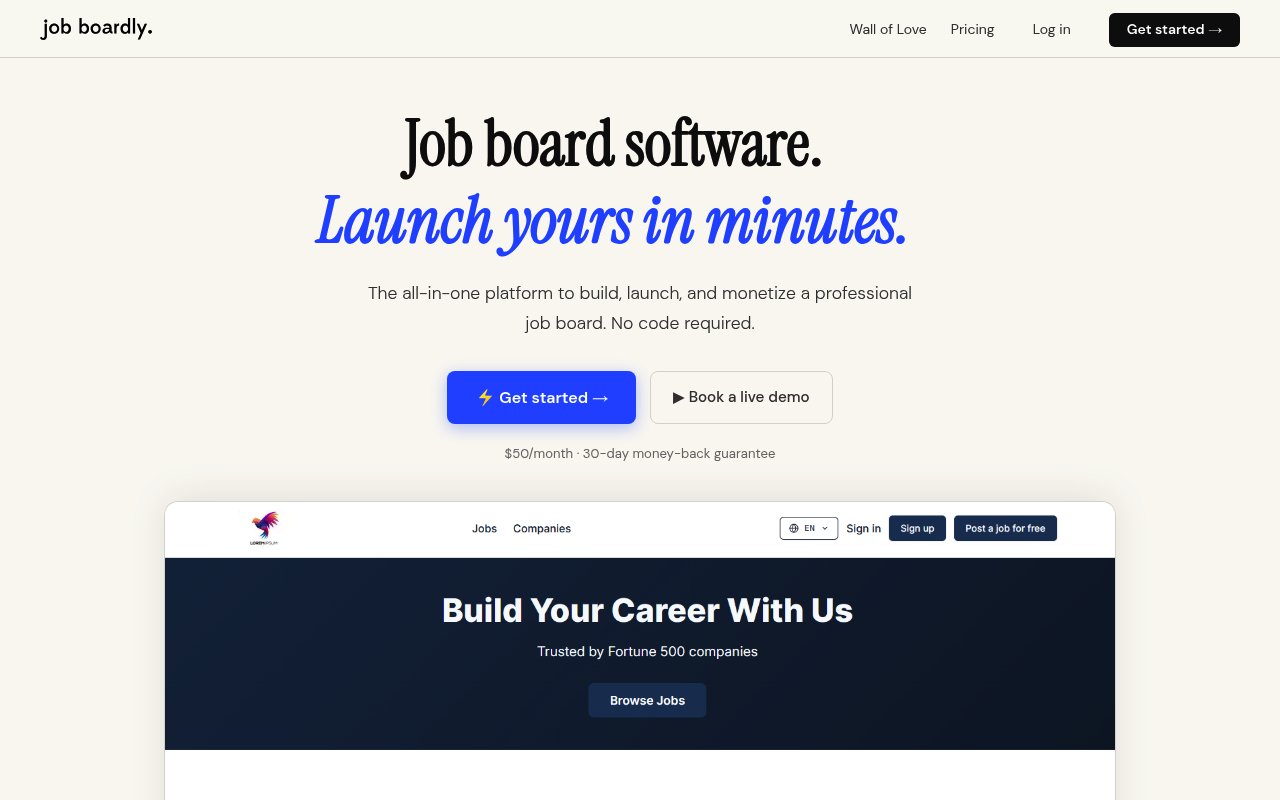
Best for: launching a polished, revenue-ready niche board in an afternoon — no code, no plugins, no hosting to manage.
Job Boardly is a fully hosted job board platform that takes you from idea to a live job board in a few hours. There's no WordPress install and no developer to hire: you pick a template, set your branding, and publish.
Entrepreneur Freddy Neuhold put it this way:
"Really easy to customize and set up! I've had lots of job board and directory ideas for a couple of years now and I got my first niche job board fully setup in about an hour! Will definitely purchase more in the future after mastering my first job board!"
Google for Jobs Support
Google for Jobs support is built in. Every listing ships with the JobPosting structured data Google requires, making it eligible for Google for Jobs with no setup. Listings can also be pushed through Google's Indexing API for faster indexing, and Pro XML imports handle bulk uploads — a separate mechanism for moving job data in, not what Google reads.
Customization Options
You start from a professionally designed template, then adjust logos, colors, fonts, and layout in a visual theme builder — no code required. Add custom domains, custom pages, your own code, and niche job categories as you grow. The Pro plan removes all Job Boardly branding, and multi-language support covers international audiences.
Monetization Features
Revenue tools are built in, not bolted on. The standout is the paywall, which gates premium listings behind a subscription for recurring income. Entrepreneur Emrah KURTULMUŞ shared:
"The paywall feature has been key in monetizing my board, delivering a consistent revenue stream without extra management."
Payments run through Stripe for both one-time posting fees and recurring subscriptions, while Job Backfiller and Job Aggregator keep the board full of relevant listings from day one.
Pricing (USD)
Two plans: Standard at $50/month ($400/year, about $33/month) and Pro at $100/month ($800/year). Every plan covers one board with unlimited postings, traffic, and pages, plus the paywall, backfilling, SEO tools, and a mobile-responsive design. Pro adds candidate and employer profiles, employer subscriptions, API access, and removes branding. Backfiller API credits are pay-as-you-go, sold as 1,000 credits for $12 ($0.012 each), 5,000 for $55 ($0.011 each), or 10,000 for $100 ($0.010 each), valid 12 months.
2. SmartJobBoard
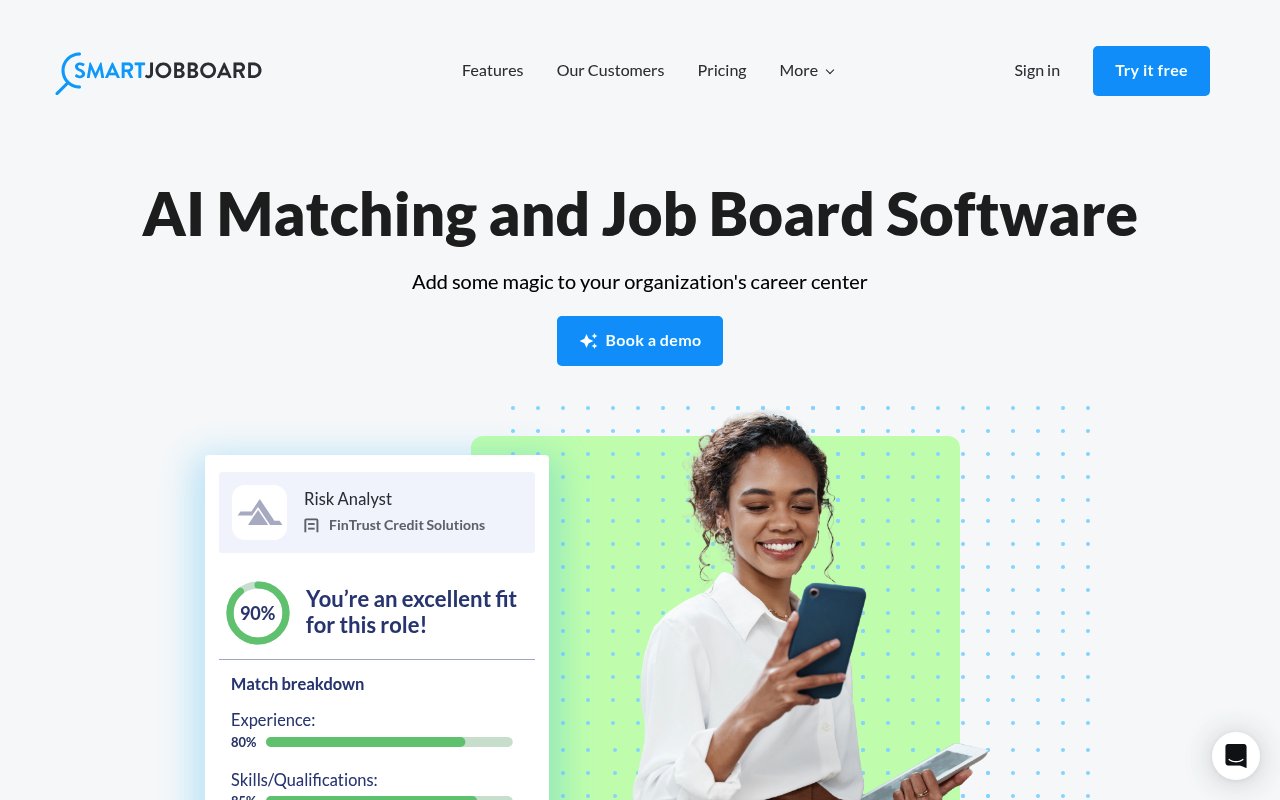
Best for: niche boards that need deep control over fields, categories, and search filters on a managed platform.
SmartJobBoard is a no-code platform that leans into customization. It's a common pick for specialized industries because you can shape the data model — fields, categories, filters — around how your niche actually hires.
Customization Options
Adjust layouts, color schemes, and form fields without code, then go deeper by fine-tuning categories and search filters. That control is the main reason owners with unusual requirements — industry-specific fields, structured filtering — choose it over simpler tools.
Google for Jobs Support
JobPosting schema markup is generated automatically, so your listings are eligible to appear in Google for Jobs without manual setup.
Monetization Features
Built-in monetization covers paid postings, featured-listing upgrades, and employer subscription packages. It supports Stripe and PayPal, so you can run tiered pricing, promotions, and subscriptions even with no prior e-commerce experience.
Pricing (USD)
SmartJobBoard is quote-based — there's no public monthly rate. It offers a revenue-share model (they process employer transactions and pay out monthly) and a flat-fee annual subscription for free-posting boards; you get exact pricing from their sales team or a demo. Either way you get the full platform: AI matching, SEO, customization, hosting, and support.
3. Niceboard
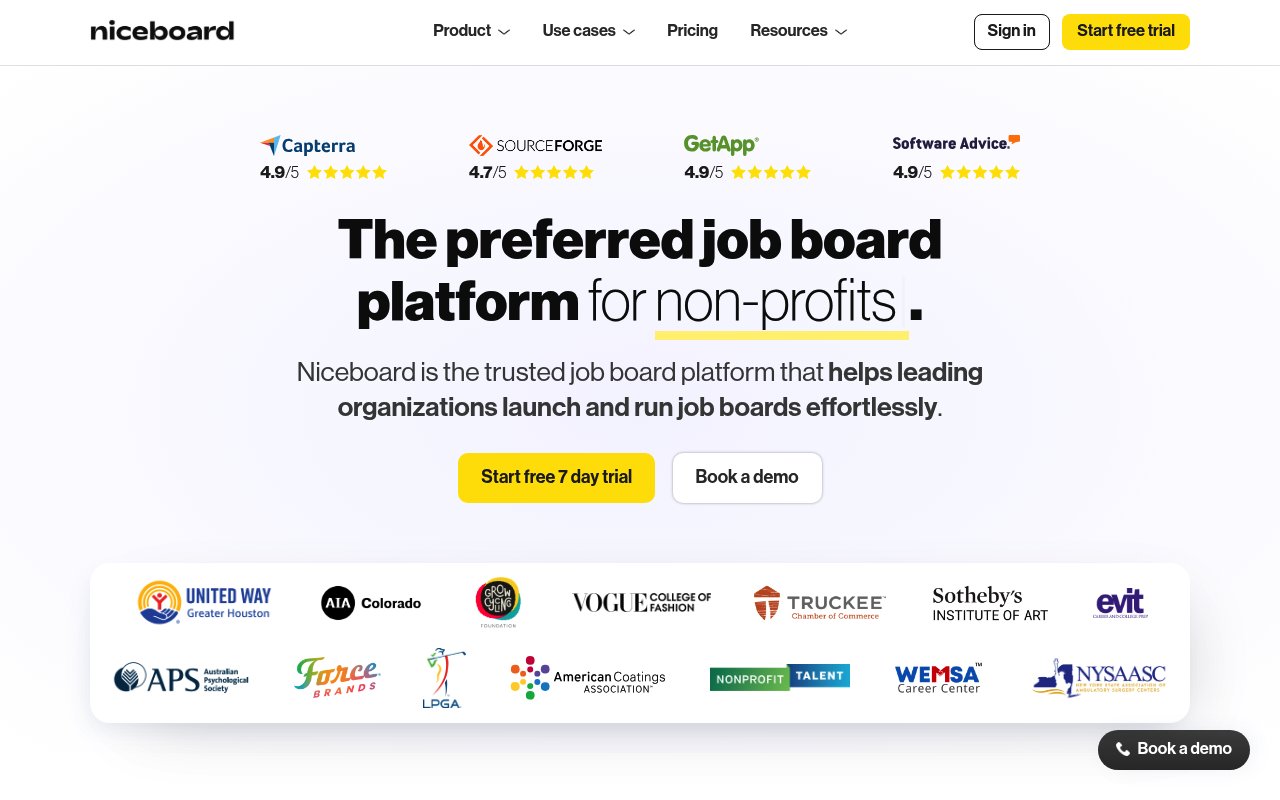
Best for: a clean, modern hosted board when polish matters more than price.
Niceboard is a fully hosted, no-code platform known for sleek, modern design. You get a good-looking board with no server maintenance — the trade-off is that it sits at the premium end of this list on price.
Customization Options
Without touching code, you can set colors, fonts, and your logo; organize job categories; design application forms; and rearrange homepage sections — enough to make the board feel like a genuine extension of your brand.
Google for Jobs Support
Niceboard generates the structured data Google for Jobs reads, so your listings are eligible to surface there and reach seekers searching on Google.
Monetization Features
Charge for postings, sell featured placements, or run subscription packages, with Stripe handling payments out of the box.
Pricing (USD)
Plans start at $399/month for the Core package ($319/month billed annually), with Advanced at $599/month ($479/month billed annually) and a quote-based Ultimate tier adding analytics, custom domains, and priority support. It's the most expensive option here, so it makes most sense when design and brand experience are top priorities.
4. WorkScout
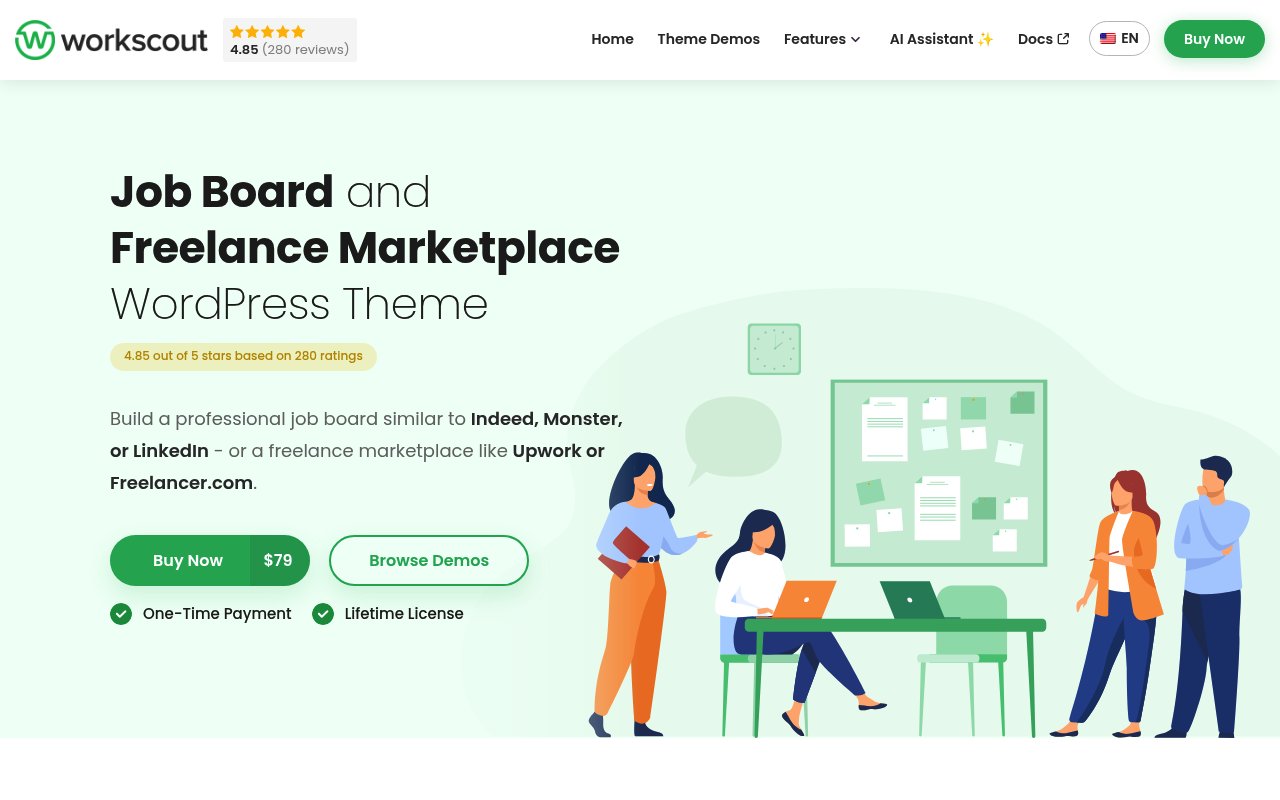
Best for: WordPress users who want a clean, page-builder-friendly theme and don't mind managing plugins.
WorkScout is a WordPress job board theme with a minimalist, content-first design. It ships as both a WordPress theme and an HTML template, so it suits both site owners and developers who want hands-on control.
Customization Options
The responsive design looks sharp on any device, and it integrates with the Elementor and WPBakery page builders for drag-and-drop edits to colors, fonts, and branding. Custom fields let you tailor listings to your niche.
Google for Jobs Support
Google for Jobs support comes via the WP Job Manager plugin, which outputs the JobPosting structured data, rather than natively — straightforward to set up, but it is an extra moving part to install and maintain.
Monetization Features
WorkScout uses WooCommerce (PayPal and Stripe) for payments, so you can charge for postings, sell featured placements, and offer resume packages. Job bookmarking and email alerts help bring users back.
Pricing (USD)
WorkScout runs around $79 as a premium WordPress theme, including updates, documentation, and support. The standard license covers most operators; extended licensing exists for commercial redistribution. Remember to budget separately for hosting and any premium plugins.
5. Jobify
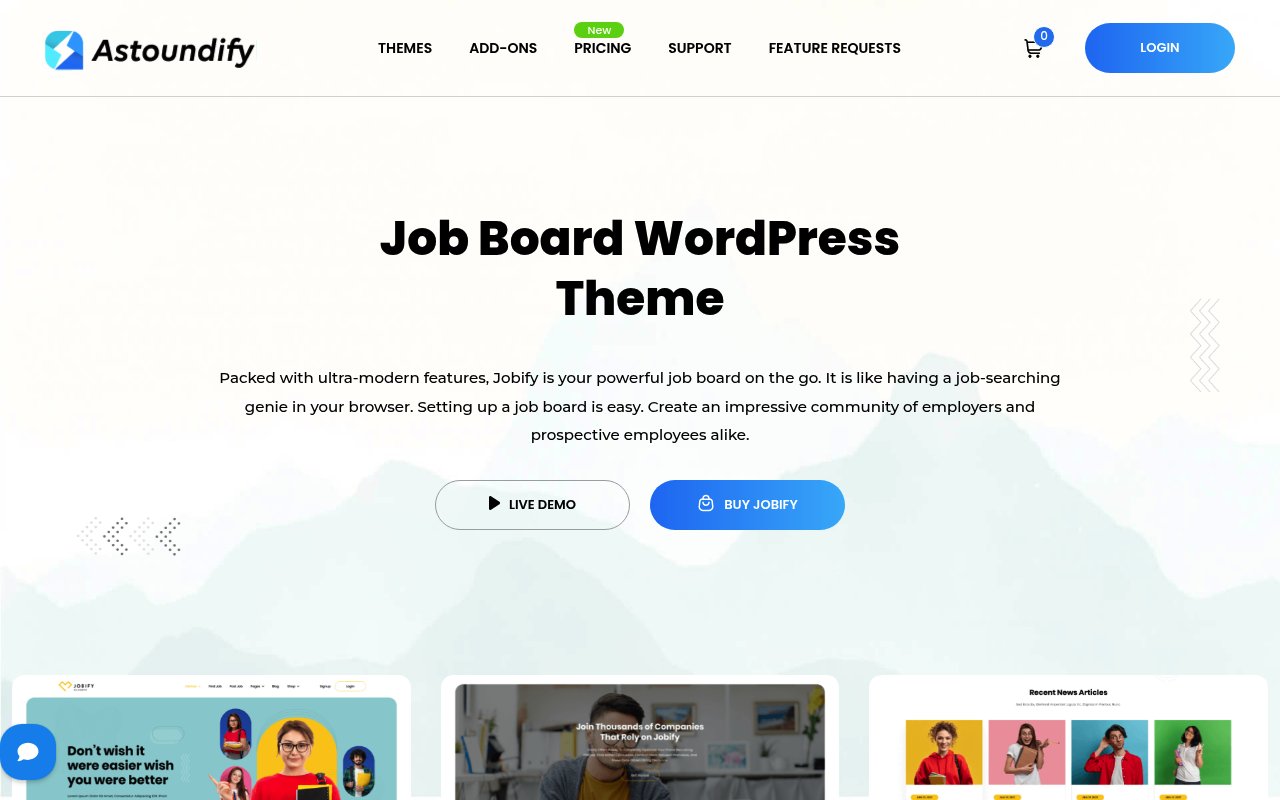
Best for: WordPress users who want multiple ready-made layouts and drag-and-drop design freedom.
Jobify is a long-standing WordPress job board theme built around a drag-and-drop page builder and a range of homepage and listing layouts — handy when you want design flexibility without writing code.
Customization Options
Pick from several homepage and listing layouts, adjust color schemes, and add custom widgets. It works with the major WordPress page builders, so you can shape a polished site without development skills, with room for deeper customization if you want it.
Google for Jobs Support
Through its WP Job Manager integration, Jobify supports the structured data Google needs, so listings can appear in Google for Jobs.
Monetization Features
Charge for listings, sell premium placements, or run employer subscription packages across multiple pricing tiers. WooCommerce handles transactions securely.
Pricing (USD)
The regular license is $69 with updates and support for one site. An extended license — required when end users pay, whether for site access or for paid postings and listings — runs roughly $2,599.
6. Jobmonster
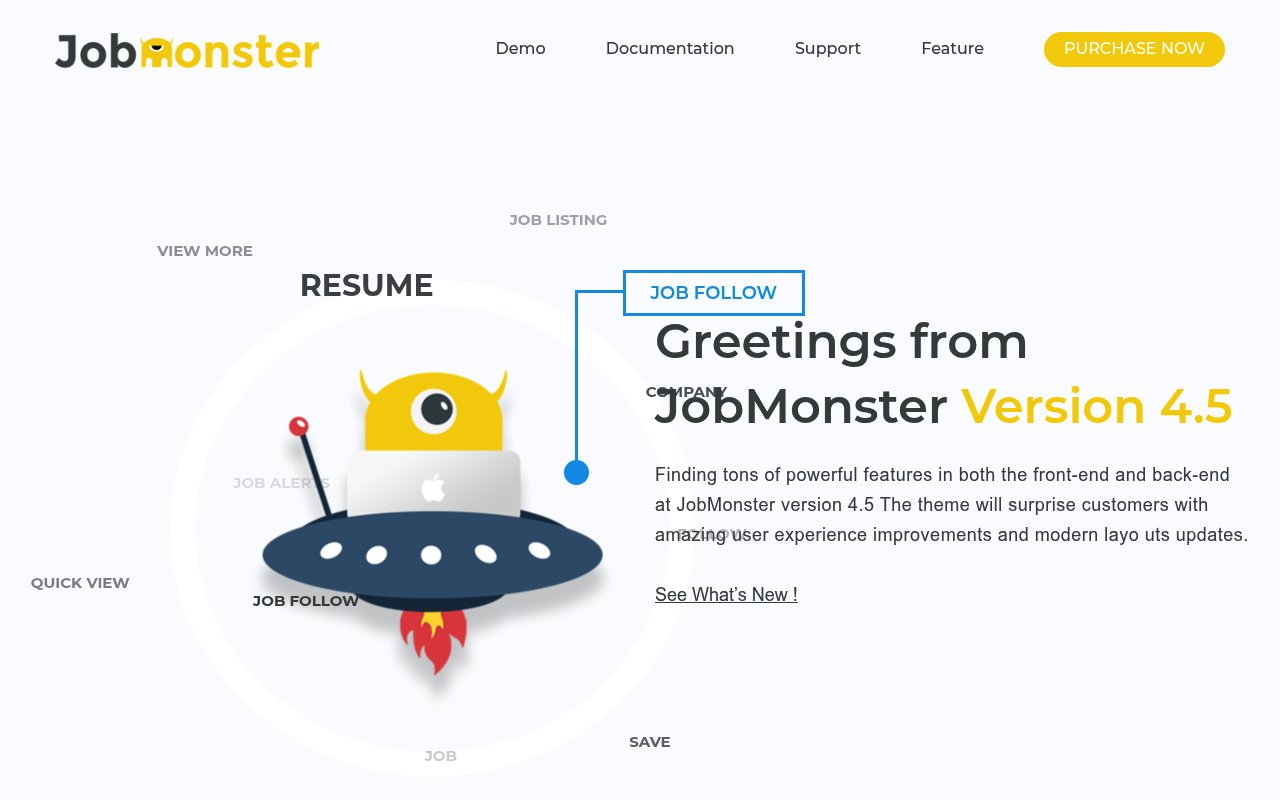
Best for: budget-conscious WordPress builders who want monetization baked in and only need basic WordPress know-how.
Jobmonster is a WordPress theme that suits both niche and general job boards. It pairs solid customization with monetization features at one of the lowest entry prices on this list.
Customization Options
Choose from multiple homepage layouts, adjust colors to match your brand, and use drag-and-drop builders for quick edits. Custom widgets and header/footer variations control how listings, candidate profiles, and employer dashboards appear.
Google for Jobs Support
Structured data markup is included, but full Google for Jobs compatibility may need extra plugins or manual setup — plan for a little configuration.
Monetization Features
Charge for postings, feature premium listings, or sell resume access. It works with WooCommerce and supports PayPal and Stripe for memberships, subscriptions, and tiered pricing.
Pricing (USD)
The regular license is $49 for single-site use with standard support; a commercial-use extended license is also available.
7. Careerfy
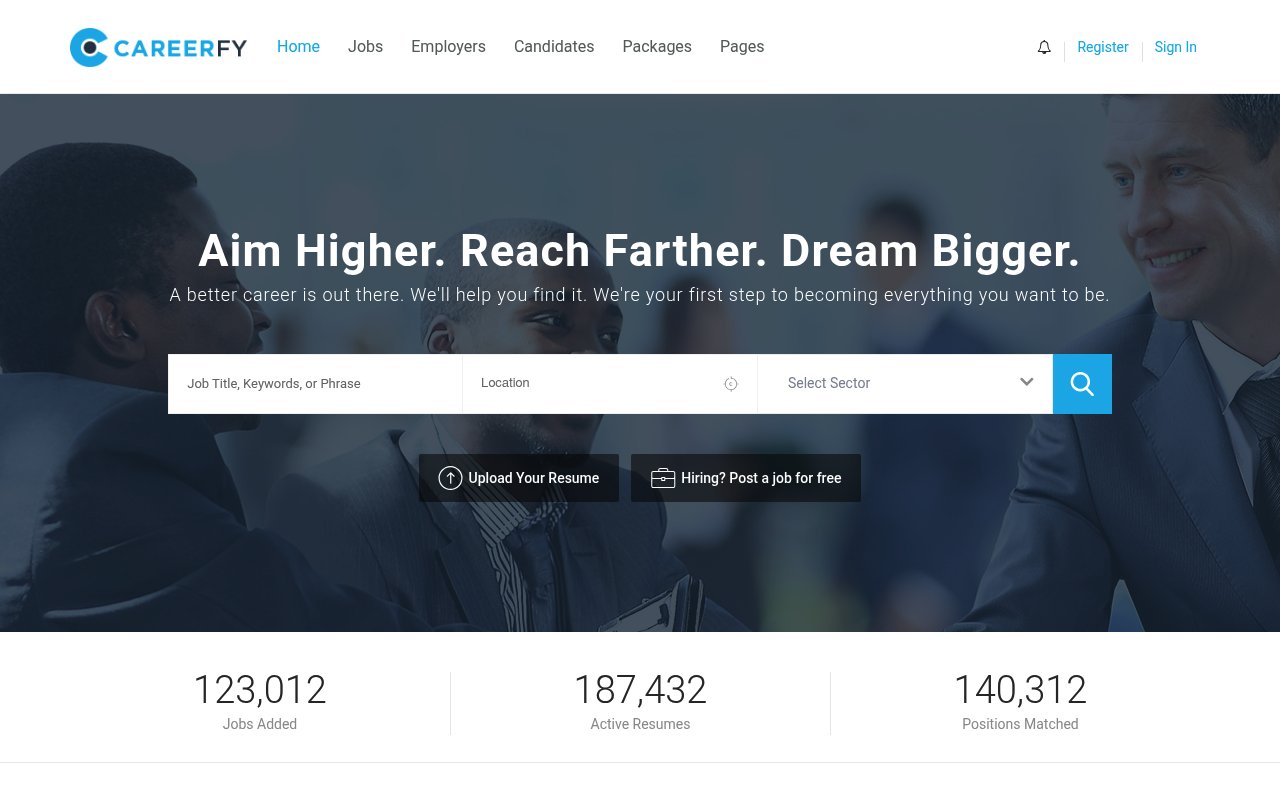
Best for: niche boards that want a head start from many ready-made demo designs.
Careerfy is a feature-rich WordPress theme whose calling card is breadth: 20+ pre-built demos aimed at different industries, so you can start close to your niche instead of from a blank canvas.
Customization Options
Import a niche demo, then customize candidate profiles, listings, and CV-package pages from the admin panel. The theme is fully responsive and offers detailed control over colors, fonts, and layouts.
Google for Jobs Support
Careerfy includes Google for Jobs support, so listings are eligible to be indexed and shown in Google's job-search results without complex configuration.
Monetization Features
Monetization is built in — no extra plugins needed. Charge for postings, sell CV and resume packages, and set employer pricing tiers, with WooCommerce, PayPal, and Stripe all supported.
Pricing (USD)
The regular license is $89 for single-site use with standard support, with an extended license available for charging end users. Most essentials are included in the base price.
8. JobEngine
Best for: a no-frills WordPress theme with the essentials built in for a low one-time fee.
JobEngine is a premium WordPress theme focused on the core job board essentials, with a drag-and-drop layout editor and no coding required.
Customization Options
Use the drag-and-drop editor to adjust colors, fonts, and branding, and to tailor key pages — homepage, listings, and employer/candidate dashboards — to your niche.
Google for Jobs Support
JobEngine supports the structured data Google needs via schema markup, so your postings can appear in Google's job-search results without complex setup.
Monetization Features
Built-in tools cover paid listings, tiered pricing, and featured placements, with PayPal and Stripe integration and a resume-bank feature for an extra income stream.
Pricing (USD)
JobEngine is a one-time $89 payment for a single-site license, including updates and support.
9. Superio
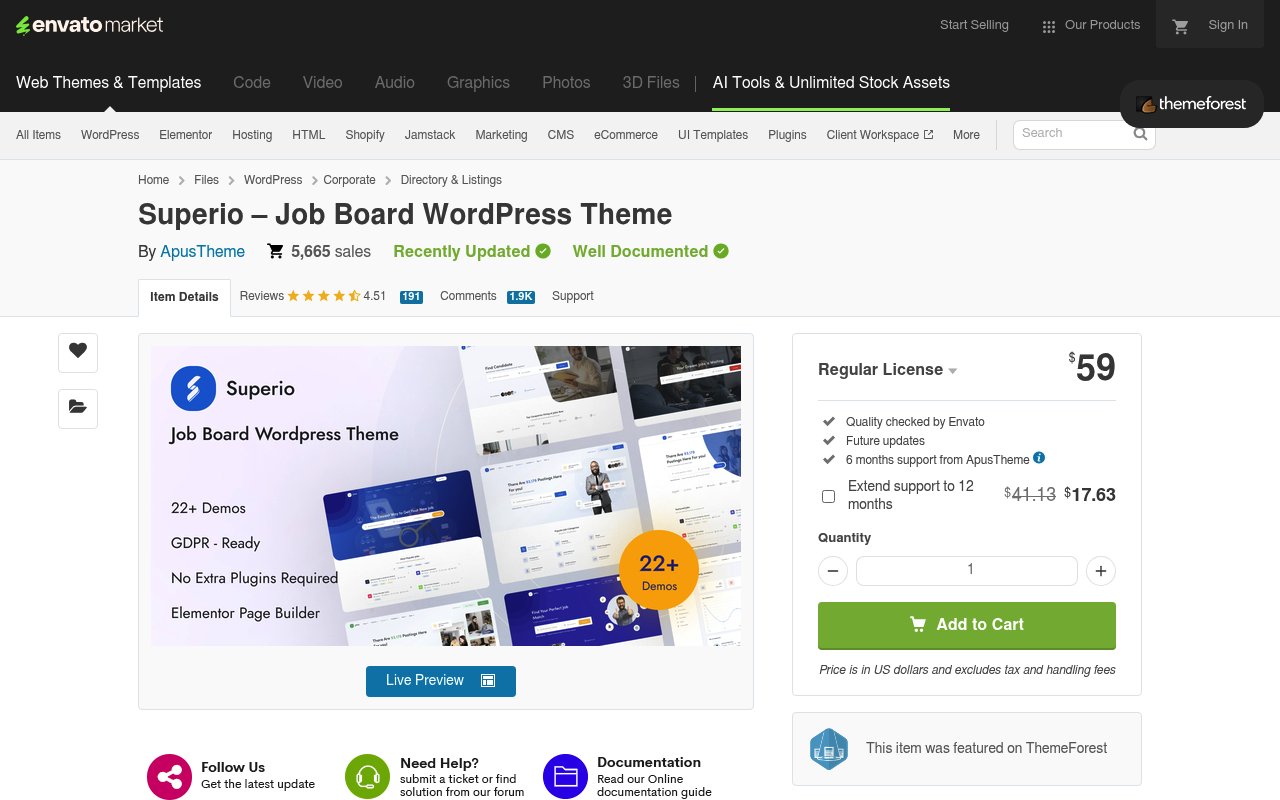
Best for: WordPress builders who want the widest choice of ready-made demos from a proven, actively maintained theme.
Superio by ApusTheme is one of ThemeForest's best-selling job board themes, with over 5,600 sales. It ships 22+ demo designs, builds pages with Elementor, and includes its own job listing functionality — the developer's pitch is "no extra plugins required," which removes a common hidden cost of WordPress job board themes.
- Customization: 22+ importable demos plus Elementor drag-and-drop editing; GDPR-ready out of the box.
- Google for Jobs: not a built-in headline feature — plan to configure structured data yourself or through an SEO plugin.
- Monetization: paid job packages sold through WooCommerce.
- Pricing: $59 one-time regular license (single site, six months of support). If end users will be charged — paid postings or paid access — ThemeForest's extended license applies instead, at $2,600.
10. Cariera
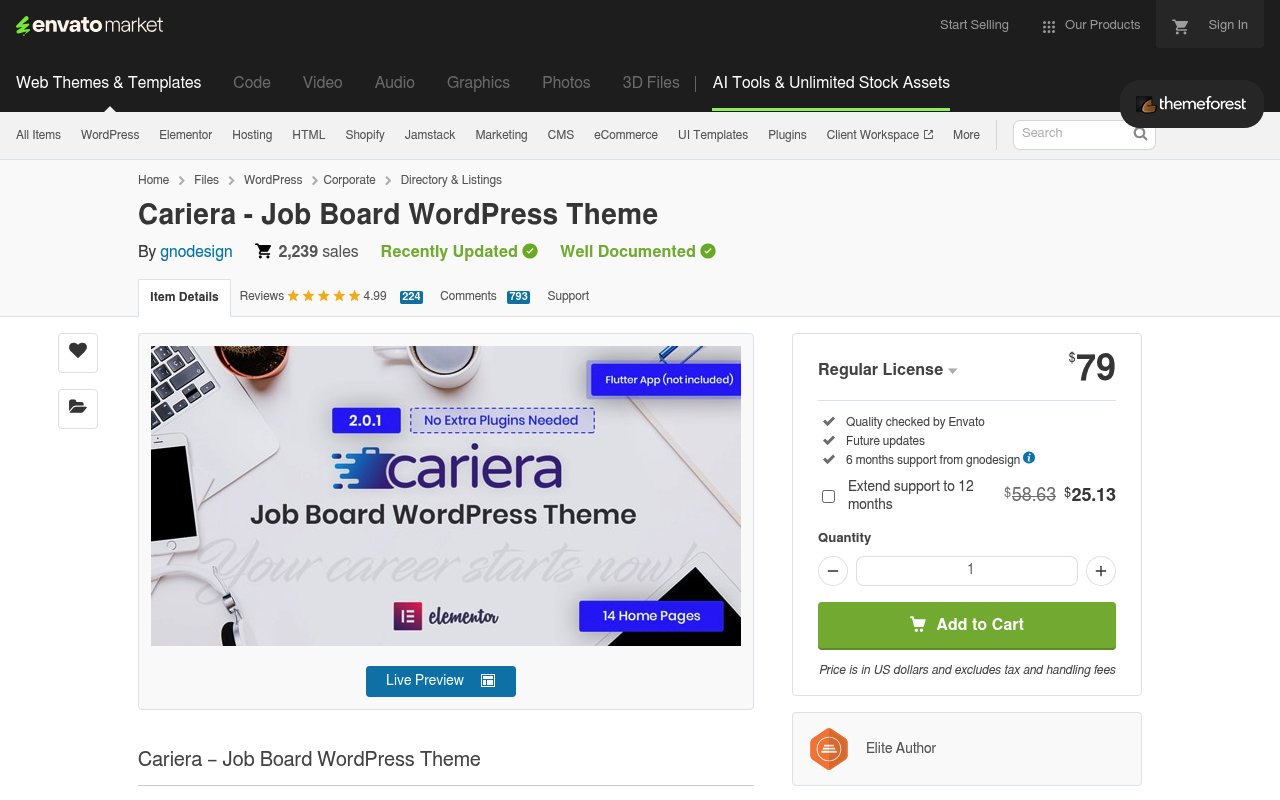
Best for: boards where the candidate and employer experience matters as much as the listings.
Cariera pairs a polished front end with role-based dashboards for candidates and employers, private messaging, and 12 homepage layouts. The theme is built upon the WP Job Manager plugin and enhances its functionality throughout — bundled so there are no extra paid plugins to buy — and it carries a 4.99-star rating across 200+ reviews.
- Customization: Elementor-based editing across 12 homepage variations.
- Google for Jobs: comes through the bundled WP Job Manager foundation — verify the structured-data output during setup.
- Monetization: handled by the bundled Cariera Packages system — submission, promotion, and paid-access packages (it replaced the legacy WC Paid Listings flow in version 2.0).
- Pricing: $79 one-time regular license (single site, six months of support); the extended license for boards that charge users is $2,900.
11. Civi
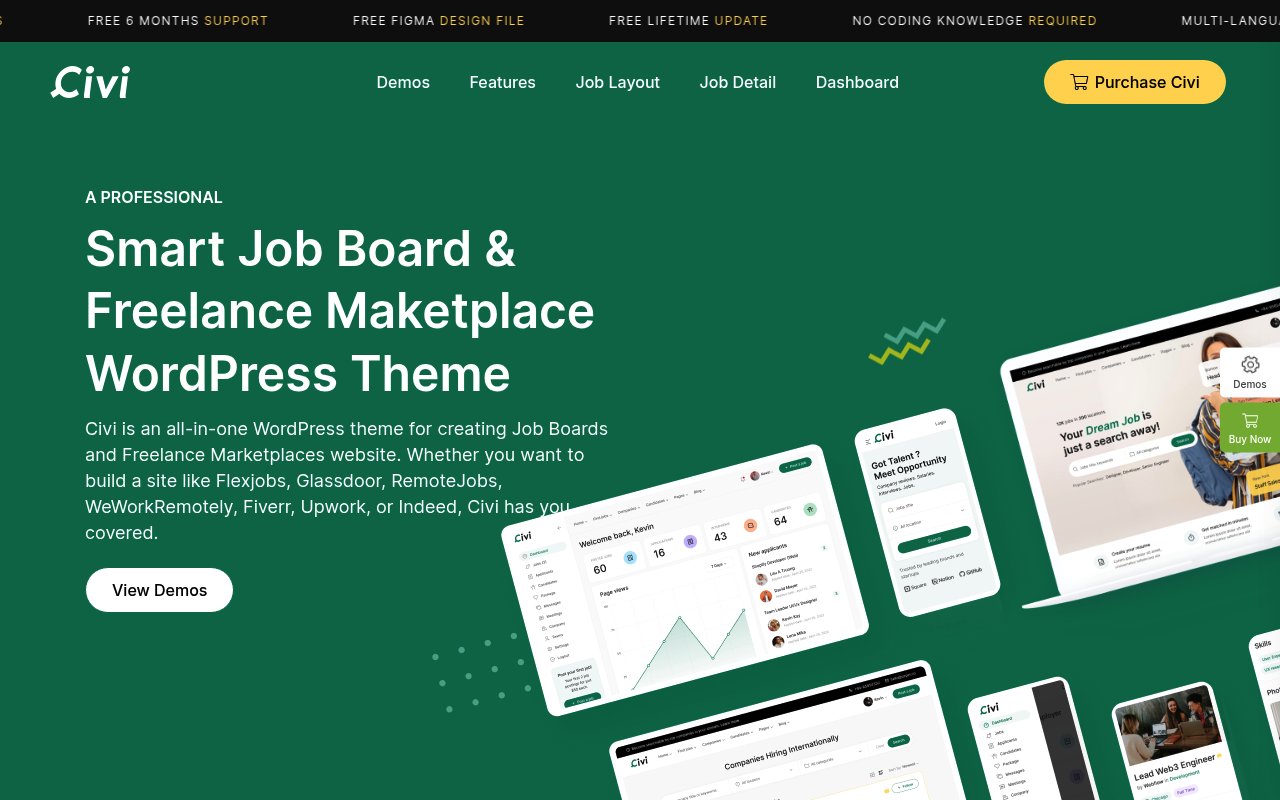
Best for: boards that might grow into a freelance marketplace as well as a job site.
Civi by Uxper is an all-in-one theme for job boards and freelance marketplaces — the demos lean on familiar models like FlexJobs- or Upwork-style sites. It includes a range of importable homepage layouts, private messaging between employers and candidates, multi-language support, and free lifetime updates on a one-time license.
- Customization: multiple importable homepage layouts with no-code setup.
- Google for Jobs: not built in — budget time for manual schema configuration.
- Monetization: paid listing packages through WooCommerce.
- Pricing: $59 one-time regular license with lifetime updates (support extension sold separately after six months); the extended license for boards that charge users is $2,600.
12. Nokri
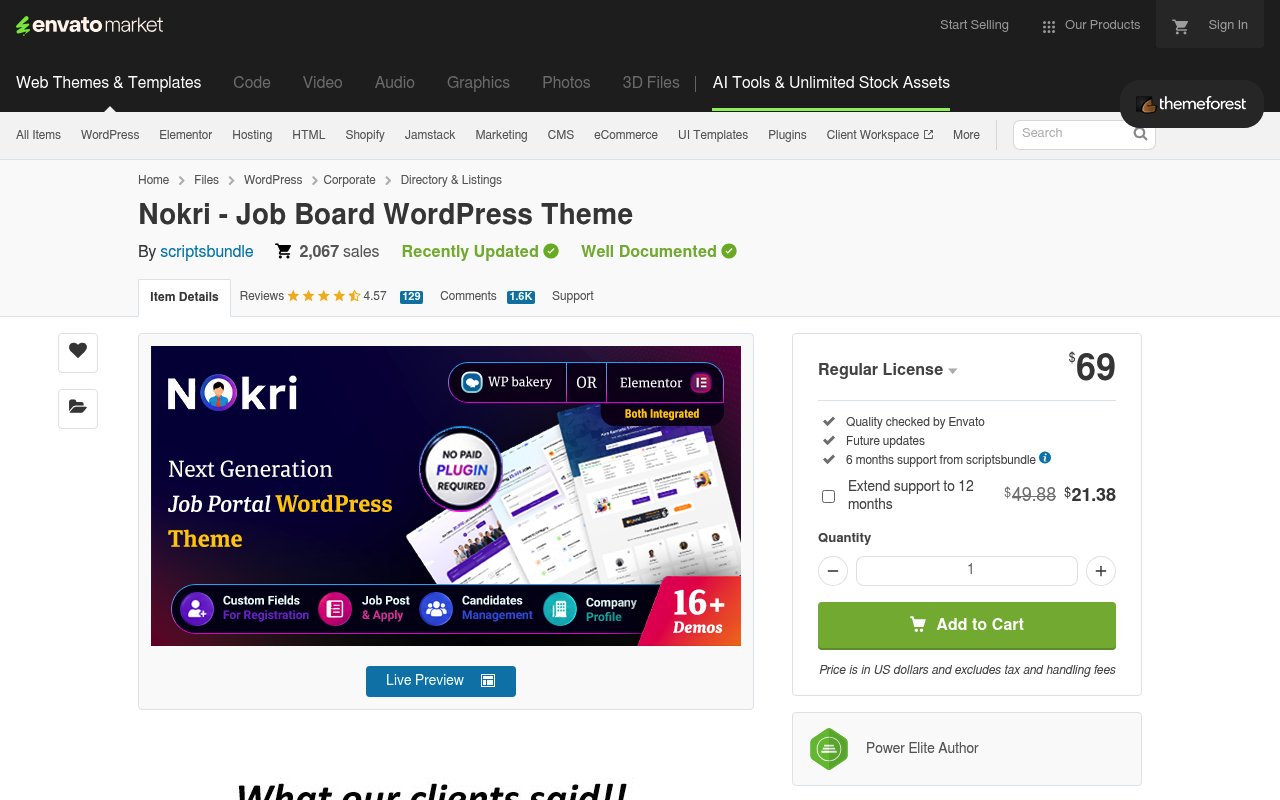
Best for: feature-heavy job portals — custom registration fields, company profiles, candidate management — on a one-time budget.
Nokri by ScriptsBundle is a job portal theme with the recruiting workflow built in: custom fields for registration, job post and apply flows, candidate management, and company profiles, with no paid plugins required. It supports both WPBakery and Elementor page builders and is actively maintained (last updated July 2026).
- Customization: 16+ demos; WPBakery and Elementor both integrated.
- Google for Jobs: plan for manual structured-data setup.
- Monetization: built-in job posting packages.
- Pricing: $69 one-time regular license (single site, six months of support); the extended license for boards that charge users is $2,000.
13. Job Board X (Webflow)
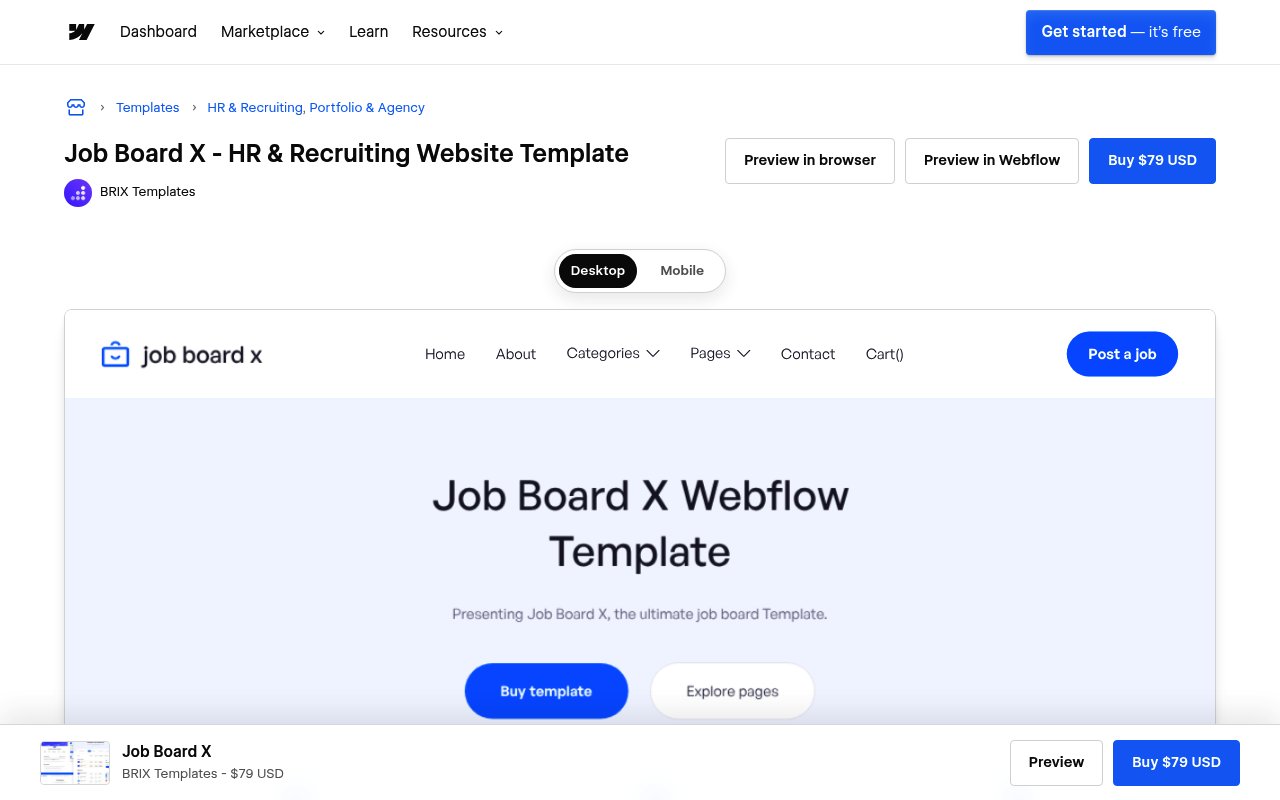
Best for: designers who want pixel-level control in Webflow without touching WordPress.
Job Board X by BRIX Templates is a job board website template for Webflow. Listings are driven by the Webflow CMS, and every layout is editable visually in the Webflow Designer — the strongest design control on this list short of writing code. The trade-offs are operational: you'll need a Webflow site plan on top of the template price — after Webflow's May 2026 pricing overhaul, a CMS-driven site takes the Premium site plan at $25/month billed annually ($39 month-to-month) — plus third-party integrations such as Memberstack or Stripe to charge for postings, and custom code if you want Google for Jobs markup.
- Customization: full visual control in the Webflow Designer.
- Google for Jobs: not included — requires custom structured-data work.
- Monetization: via integrations (Memberstack, Stripe) rather than built-in tools.
- Pricing: $79 one-time for the template, plus a Webflow Premium site plan ($25/month billed annually, $39 month-to-month).
14. Softr Job Listing Template
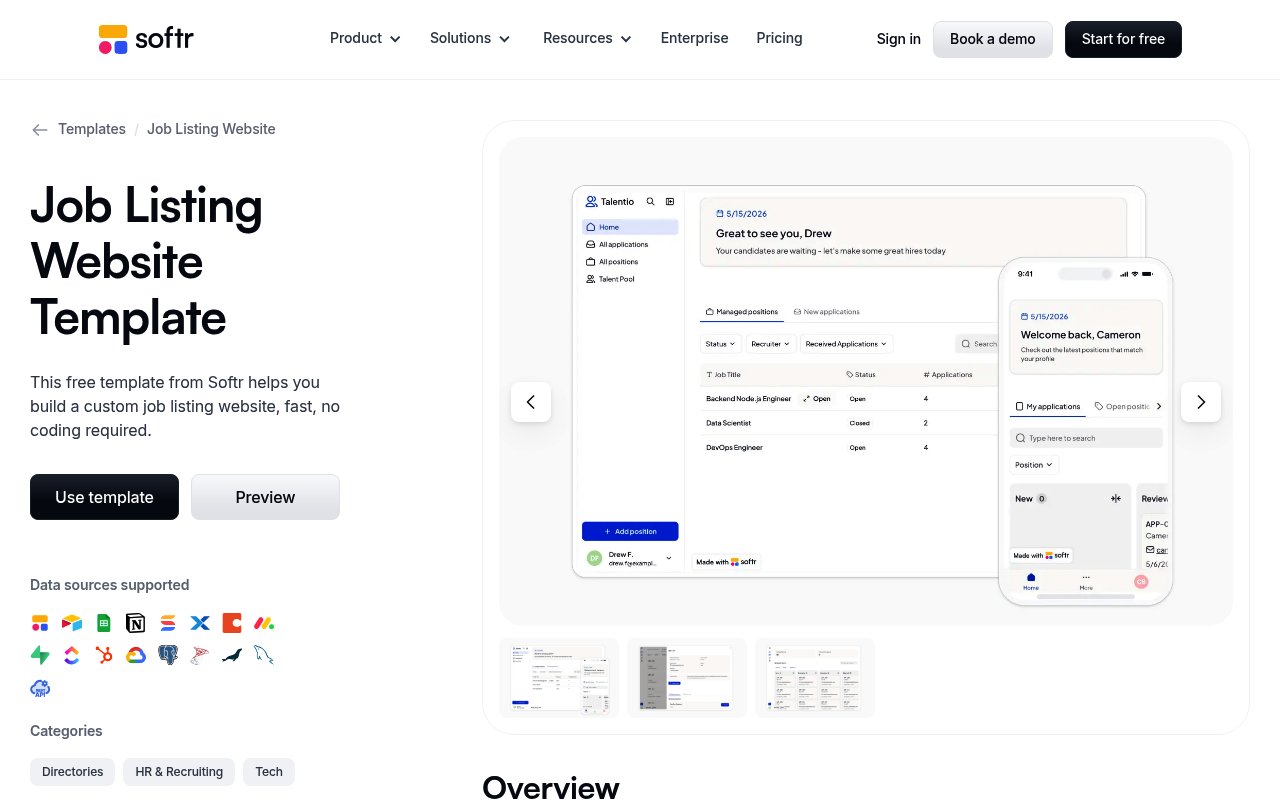
Best for: validating a job board idea in a weekend with a simple, database-backed listings site.
Softr's template is a job-listing and careers site, not a marketplace where employers pay to post: it ships with Softr's own database already connected (Airtable, Google Sheets, and other sources are optional swaps) and covers public listings, candidate applications with resume uploads, and a recruiter dashboard — with no code at all. The template itself is free, and Softr's free plan is enough to publish a small site; paid plans start at $49/month as you add users and features. The ceiling is SEO: it doesn't output the JobPosting structured data Google for Jobs reads and gives limited control over markup, so it shines as an MVP tool rather than the foundation for a search-driven board. If organic traffic is the plan, a managed platform with Google for Jobs support built in — like Job Boardly — is the sturdier starting point.
- Customization: block-based visual builder; data lives in Softr's database by default, with Airtable or Google Sheets as optional sources.
- Google for Jobs: not built-in; custom setup required — JobPosting markup means paid-plan custom code or integrations.
- Monetization: not part of the template — charging for postings or access means adding Softr's paid-plan features or integrations yourself.
- Pricing: free template and free plan; paid plans from $49/month.
Feature Comparison
Side by side, the differences come down to four things: Google for Jobs support, customization, monetization, and pricing model.
| Template | Google for Jobs | Customization Level | Monetization Tools | No-Code Setup | Starting Price (USD) | Payment Integration |
|---|---|---|---|---|---|---|
| Job Boardly | Built-in | Very High | Built-in Paywall | Yes | $50/month | Stripe |
| SmartJobBoard | Built-in | Medium | Built-in | Yes | Varies | Stripe, PayPal |
| Niceboard | Built-in | Medium | Built-in | Yes | $399/month | Stripe |
| WorkScout | Plugin Required | High | Plugin Required | No | $79 one-time | Plugin-based |
| Jobify | Plugin Required | High | Plugin Required | No | $69 one-time | Plugin-based |
| Jobmonster | Plugin Required | Medium | Plugin Required | No | $49 one-time | Plugin-based |
| Careerfy | Built-in | Very High | Built-in | No | $89 one-time | Stripe, PayPal |
| JobEngine | Built-in | Medium | Built-in | No | $89 one-time | Stripe, PayPal |
| Superio | Manual Setup | High | Plugin Required | No | $59 one-time | Plugin-based |
| Cariera | Via WP Job Manager | High | Bundled Cariera Packages | No | $79 one-time | Via Cariera Packages |
| Civi | Manual Setup | High | Plugin Required | No | $59 one-time | Plugin-based |
| Nokri | Manual Setup | Medium | Built-in | No | $69 one-time | Plugin-based |
| Job Board X (Webflow) | Manual Setup | High | Via Integrations | Partially | $79 + site plan | Via Integrations |
| Softr | Not built-in; custom setup | Medium | Via Integrations | Yes | Free–$49+/month | Via Integrations |
A few patterns stand out:
No-code vs. WordPress: No-code platforms (Job Boardly, SmartJobBoard, Niceboard) bundle hosting, updates, and support, so you launch faster with nothing to maintain. WordPress themes (Careerfy, Jobify, Superio, and the rest) trade that convenience for deeper control — at the cost of managing plugins, hosting, and updates yourself. Webflow and Softr templates sit in between, with assembly of their own: on Webflow, Job Board X needs added JobPosting markup and payment integrations; Softr is best treated as an MVP route, since Google for Jobs support means attempting JobPosting schema through paid-plan custom code or integrations.
Google for Jobs: Job Boardly, Careerfy, and JobEngine include the required JobPosting structured data natively. Themes built on WP Job Manager (WorkScout, Jobify, Cariera) get it through the plugin, which adds a setup step — and the other newer WordPress themes here (Superio, Civi, Nokri) leave structured-data setup to you entirely.
Customization: Careerfy leads on prebuilt variety with 20+ niche demos, while Job Boardly pairs strong branding controls with multi-language support.
Monetization: Job Boardly's built-in paywall is the simplest path to recurring revenue. WordPress themes usually route payments through WooCommerce — more flexible, but more to assemble.
Pricing model: This is the real fork. Subscriptions like Job Boardly ($50/month) include hosting, updates, and support in one figure. One-time WordPress licenses ($49–$89 for regular, single-site use) look cheaper up front, but the true cost adds hosting, premium plugins, your own maintenance time — and an extended license ($2,000–$2,900 among the themes here that publish one) if you charge users.
Backfilling: Job Boardly's Job Backfiller and Job Aggregator auto-populate your board with relevant listings so it never looks empty at launch — something most WordPress themes leave to manual entry or third-party tools.
Conclusion
The right job board template depends on your technical comfort, budget, and how you plan to make money — but the first fork is the biggest: a managed job board platform, a hosted builder like Webflow or Softr, or a self-hosted WordPress theme.
If you want to launch fast and avoid technical overhead, a no-code platform like Job Boardly ($50/month) bundles Google for Jobs support, a built-in paywall, and automatic backfilling — capabilities that take several plugins and ongoing upkeep on WordPress. Brian Douglas, who moved a board off WordPress, reported a large traffic increase after the switch on Job Boardly's wall of love:
"Job Boardly is a great software to host your job board on. Since moving from WordPress, my traffic has exploded."
If you're comfortable in WordPress and want maximum design control for a low one-time fee, themes like Careerfy and Jobify deliver it — just budget for hosting, plugins, and maintenance. And if monetization is the priority, lean toward an option with a built-in paywall and payment processing, as Emrah KURTULMUŞ found:
"The paywall feature has been instrumental in monetizing my board effectively, providing a consistent revenue stream without the hassle of managing subscriptions." - Emrah KURTULMUŞ, Entrepreneur | Growth & Digital Marketing
The middle route is real, too: hosted builders like Job Board X on Webflow and Softr's job-listing template trade WordPress maintenance for a platform plan plus integration work on payments and structured data — strong design control, with more assembly than a managed platform.
Whichever you choose, prioritize built-in Google for Jobs support and mobile performance — they do the most for visibility and applications — and pick the option that lets you launch soonest. The faster you're live, the sooner you can focus on listings, marketing, and growth.
FAQs
What's the difference between a job board theme and a job board template?
A job board theme is a design package you install on a CMS you host yourself — in practice, almost always WordPress. It supplies the layouts, listing pages, and dashboards, and you manage hosting, plugins, and updates around it. A job board template is the broader term: it covers pre-designed layouts for site builders like Webflow, database-backed templates on tools like Softr, and the preset designs inside managed job board platforms like Job Boardly.
The practical difference is who maintains the stack. With a theme you own everything, including the upkeep; with a template on a managed job board platform, hosting, Google for Jobs structured data, and payments come pre-wired, so you customize the design and start publishing listings.
What are the main advantages of using a no-code platform like Job Boardly to build a job board?
Creating a professional job board is straightforward with a no-code platform like Job Boardly - no programming skills required. You can tweak the design to align with your brand, enable features like job aggregation and paywalls, and start earning from your site in no time.
Job Boardly also streamlines management with handy tools such as built-in SEO optimization, Stripe integration for seamless payments, and support for multiple languages. It's a user-friendly solution that works for individuals and businesses around the globe.
How does Google for Jobs support boost the visibility of job listings on these platforms?
Google for Jobs support means a platform outputs the JobPosting structured data Google requires on each job page, making listings eligible to appear directly in Google’s job search results. XML feeds and imports are separate mechanisms for moving job data between systems — what Google reads is the structured data on the page.
This improved visibility often translates into more clicks and applications since many job seekers turn to Google when searching for opportunities. It’s an effective way to connect with qualified candidates and extend the reach of your job postings.
What should I consider when deciding between a subscription-based template and a one-time purchase WordPress theme for a job board?
When deciding between a subscription-based template and a one-time purchase WordPress theme for your job board, it's important to weigh cost, updates, and support.
A subscription-based template usually includes ongoing updates, access to new features, and customer support as long as you keep your subscription active. This option works well if you're looking for a platform that can grow and adapt over time.
In contrast, a one-time purchase theme involves a single upfront payment, which might save money in the long run. However, updates and support are often limited or may come with extra costs. Think about your budget, how crucial regular updates are, and the level of support you'll require to determine the best fit for your job board.