
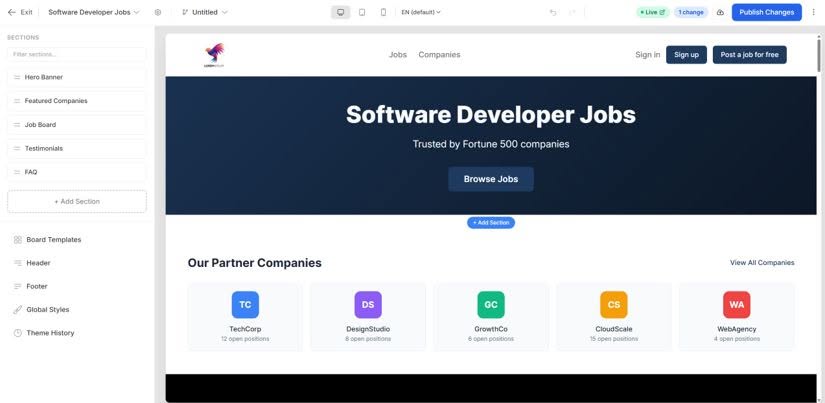
A professional, on-brand job board shouldn’t require a designer. With Job Boardly you start from a ready-made job board template, then make it your own — so you can launch a polished, great-looking site in minutes and refine it from there.
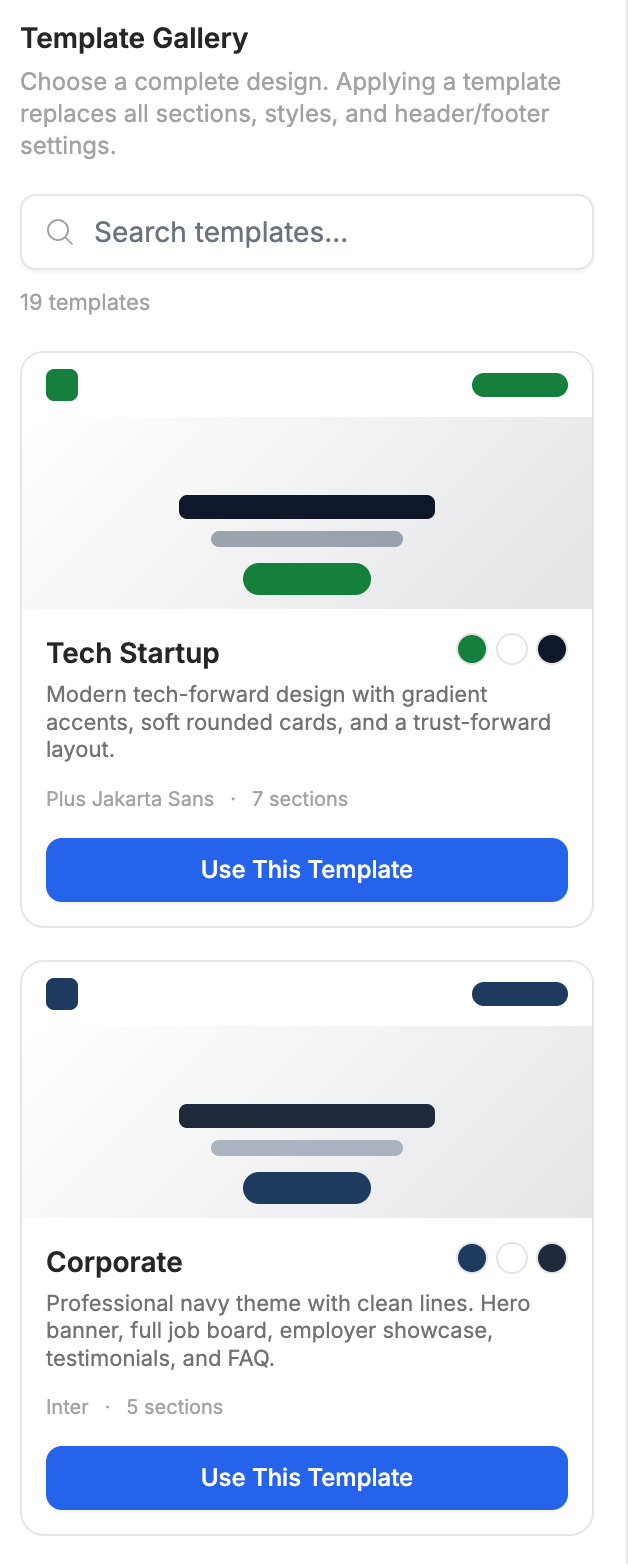
Start from a preset template
Browse a library of professionally designed board templates and apply one instantly. Each template is a complete, responsive theme for your job board — homepage, job listings, job details, company pages, and blog — giving you a proven layout as a starting point instead of a blank canvas. Pick the one that fits your niche and you’re most of the way to launch.
Customize everything with the Theme Builder
Templates are just the beginning. The Theme Builder is a visual editor that lets you design every part of your job board without needing to touch code:
- Global styles — set your colors, typography, and spacing once and apply them everywhere for a consistent look.
- Layouts & sections — rearrange, add, or remove sections on any page with drag-and-drop.
- Your brand — add your logo and fonts, set your brand colors, and customize the wording throughout to match your voice.
- Preview across devices — check desktop, tablet, and mobile before anything goes live.
- Draft and publish — work on changes safely, publish when you’re ready, and roll back to an earlier version any time with theme history.
Go further with HTML and CSS
The visual editor covers the everyday work, but you’re never boxed in by it. Every section lets you copy its generated HTML and CSS, so you can see exactly how it’s built and change it on your own terms:
- Copy the markup out — take any section’s HTML and CSS from the Theme Builder.
- Refine it however you like — hand it to an AI assistant, pass it to a developer, or edit it yourself.
- Paste your changes back in — both HTML and CSS go straight back into the Theme Builder and apply to your board.
That loop puts design changes that would normally need a developer within reach of anyone, without giving up the speed of a visual editor. For advanced needs you can also drop in custom code sections using Liquid.
Custom code injection is available separately for adding third-party tools and embeds — analytics, chat widgets, and anything else you want running on your board.
No design skills required
You don’t need to be a designer or a developer. Pick a template, adjust your brand settings, and publish — or go deeper with the visual editor, and with the HTML and CSS behind it, whenever you want full control. Either way you get a job board that looks like it was built for your brand.
Pair your design with SEO-friendly pages and your own custom domain to make the board fully yours.
Start using Theme Builder today
Everything you need is included in your Job Boardly subscription. No extra plugins, no configuration.